Sunday, 7 July 2013

3 Secret SEO Techniques to Turn Images Into Backlinks


use images to get backlinks

Here at MBT, we have talked a lot about how important backlinks are, and how to score great ones. But while we have discussed text-based links at a great length, we haven't really gotten around to talk about images, except from a search engine performance aspect. Yes, images are great for landing organic visitors, but you can get images to do a lot more for you, such as scoring you backlinks! Here are some of the ways you can use images to get great backlinks for your blog!


Create an infographic


Infographics are a great way to get backlinks from great authority sites like the NYTimes, and Business Insider etc. Normally, such websites won't even respond to your request. But throw in a quality infographic, and you can instantly sweeten the deal. Such websites dig quality infographics that provide some insightful information to the users. Now we will cover the topic of creating infographics that work in detail in a future post, it should be sufficient for you know that there are many tools available that easily let you create your own infographics. One of them is Visual.ly. Fiddle around with it, and you'll soon become a pro at making your own infographics.


Image directories


You can also get backlinks from Image directories. Whether you're a photographer, or a graphics designer, you can use many of the online directories available. Even if you aren't, you can still learn by making small graphics, such as small icons etc. Or, you can hire someone at Fiverr to do your job for you.


Here are a few image directories for your benefit.


  • http://www.dreamstime.com/ (Clipart)

  • http://openclipart.org/ (Clipart)

  • http://www.corbisimages.com/ (Stock Photography)

  • http://www.istockphoto.com/ (Stock Photography)

  • http://www.iconfinder.com/ (Icons)

  • http://www.iconarchive.com/ (Icons)


To yourself a backlink or two, upload your icons or clip-arts or photos in an archive form on your website, and then show these sites what you've got. You have a very good chance of getting through their selection process if the images you provide are useful. Always check the "Popular" section to see what sort of images are hot.


Now, on most sites, you can set the license to free. In that case, you will get a link to your credit as an author. And this is basically how you get backlinks. Whenever someone wants your image(s) or icons, they will get your link, which will give you instant traffic as well, not to mention a high quality backlink from a high PR website.


Searching by Image


Sometimes, people will like the images you put up on your website so much, that they'll copy it and put it up on their own website as well. And sometimes, they might even forget to, ehm, give credit for the image. Disturbed as you might be to see your image copied, don't panic! It's a great opportunity to get a backlink!


First, right click on the image on your website, and copy its URL. Then, go over to Google's image search, and click on the little image icon on the right of the search bar. This will allow you to search with an image. Paste your image's URL in the bar, and hit enter. You will see all search results for all sites that have used your image. Check each one to see if they've given you an attribution link. If not, then contact them, and ask them to. By now, the image is already sitting on their website, and they wouldn't want to remove it. Instead, most would simply go ahead and link to you to avoid any embarrassment.


Got any questions? Please feel free to ask in the comments section below. Cheers :)


Saturday, 6 July 2013

Find Out When Someone Mentions You Without a Backlink!


Unlinked mentions!

Legitimate backlink building is one of the most important parts of building the reputation of a website or online business, Getting previous little backlinks from other sites is hard enough, and it really shows a great gesture when someone mentions you and links to you in their content. But often over the course of your name or brand's online lifespan, you will come across situations where your name or brand was mentioned, but you weren't linked. This is because some people just might not be willing to give out a link as easily, or they might just have overlooked it. In that case, you have to contact them personally and ask them for the favour. Today, we'll show you how you can find out when someone mentions you, but doesn't link to you.


After all, you never know what opportunities you might have been missing out on! Even a couple of 'missed' backlinks could save you hours of work on building new ones, and/or help you with your website's rank and authority.


Using Google Alerts


Now, I'd first like to introduce you to some Google Search tricks that some of you might already know, but most won't. In Google Search, you can use use some advanced search operators like AND, OR, site:, inurl:, intext:, and so on. The AND operator finds sites that have keywords written on both side of the AND operator. The OR operator finds sites that have either the phrases on the left of the operator, or the right of it, or both. This is handy, for example, if you want to search for both cars and bikes on the same site (Cars AND bikes), or if you want to search for either cars, or bikes, or both (Cars OR bikes).


Now, the site: operator will search for keywords only within the domain you specify after the site: part. For example, if I want to search for only windows 8 on Microsoft's website, I can type this in Google "site:microsoft.com Windows 8" (without the quotes), where Windows 8 is my keyword. Now, if you add a minus sign behind any operator or keyword, Google will give you all results that do not contain the result generated by the keyword or operator you put a minus sign to. For example, let's say I want to search for sites that have my name, excluding this site where I regularly contribute to. So the search query for it would be "-site:mybloggertricks.com Qasim Zaib". It will exclude all results from mybloggertricks.com.


Now, coming to the task at hand, we want to find out whenever someone mentions your name, your brand name, or a keyword specific to your site. All you have to do is, simply build a query, and set a Google Alert for it. Start by typing a query. Exclude all sites you contribute actively to, and enter the keywords you want to watch out for (maybe your name or URL). It would look something like this.


-site:mybloggertricks.com -site:smartearningmethods.com -site:richincomeways.com Qasim Zaib


Now go to Google Alerts, and enter your query there. Keep all the settings like you see in the image below.


Google Alerts


Now, whenever new content that matches this query is found by Google, you will be emailed. In other words, I'll get an alert whenever someone mentions my name. As soon as Google finds that new mention, it will be listed in the query. And any changes in the query results trigger an email alert. You can then check up on each new mention to see if someone has linked to you or not.


This was one of the simplest approaches there are. We'll soon teach you how to use SEO software such as Screaming Frog to perform bulk actions, and automate many processes. Until then, stay tuned :)

Friday, 5 July 2013

10 LINK BUILDING TECHNIQUES Google Penguin wont Mind!


10 Google-friendly Link Building Techniques


Link building has now suddenly came into focus once again, as Google is repeatedly trying to stamp out black-hat SEO practices. So the trend now is on building legitimate backlinks rather than buying them off a cheap package. Even so, Google Penguin is still pretty touchy, and you need to build links with care. We earlier shared some great ways to earn trusted backlinks, and ways to score relationship-based links. We'll continue on with that thread, and share some more tips, this time on building links the Penguin-friendly way!


Get listed in DMOZ


DMOZ is an online directory that has a very high PR. Getting a link from such a website can be invaluable. You can get your blog listed in the relevant categories. So if you want to build a link, start by getting listed on DMOZ. But keep one thing in mind. While considering a category to get listed in, always try to select the most relevant one, yet one that has the least number of out-bound links (indicated by the number in brackets next to each category). This is because even though each page on DMOZ might have the same PR, but not the same value. The more the links, the lesser the value. So your aim should be the least number of links for the most value.


Blog commenting


Now, this is a fairly common technique, so we're not going to squander much words on it. I would however, like to show you a couple tools that can help you with commenting on other blogs. We discussed about DropMyLink in an earlier post. You can use it to find relevant blogs you want to comment on. There's another handy tool called Scrapebox, which will help make blog commenting much easier and faster. Do give it a try, and see how it can speed up your work!


Find sites with the Disqus commenting system


The advantage of Disqus over other commenting systems is, it is really easy to use, and comments that you make appear instantly. Furthermore, you can post them on Facebook as well, so that your friends can see what you've been upto - hence giving you more referral traffic. So to find such sites with the Disqus commenting system, you first have to create an account. Your username will be the anchor text for your links, so you might want to create more than one account for each category you want to comment for.


Now, you can just search Google for keywords, combined with the phrase "powered by disqus" (with quotes). You will land upon some blogs using disqus. Open a few you like, and check if they have a high PR (we recommend you install the SEOQuake toolbar). Find a high quality blog, and start commenting on it. Additionally, narrow down your search to the last two weeks or so using Google's advanced search. Commenting on pages that have no comments is recommended, because that'll give you some referral traffic as well.


Use your Twitter profile


There are certain sites that use Twitter data for real-time search, ascertaining social authority, Twitter lists, and so on. These sites use links found in your profile, especially in your bio, and use those links in their listings. So if you have your website links in your profile bio, and a Twitter handle as well, you'll be automatically building links! Some such sites are listed below. You can add yourself to them, and build some more links!


  • http://klout.com/home

  • http://www.twellow.com/

  • http://twitaholic.com/

  • http://twittercounter.com/

  • http://tweetlevel.edelman.com/

  • http://twtbizcard.com/


Copy/Pasting link building


Ever seen a mysterious link along with some text appear as you copied some text from a website? It is called 'attribution text', and you can do it for your website too. You'll be getting links as people copy and paste your content around the internet. Read the following guide to learn how to add attribution text.


Find out when someone has mentioned you without linking


Often times, people will talk about you, or mention your brand without actually linking to you. In such cases, you probably want them to link to you properly. To find out whenever this happens, you can set up Google Alerts.


In the Search query section, exclude all the websites you actively contribute to (by combining the minus - operator and the site: operator). Then, you can add a keyword (such as your name, etc). For example,


  • -site:mybloggertricks.com -site:smartearningmethods.com -site:richincomeways.com -site:techeclipse.com Qasim Zaib


Set the 'Result type' to Everything, and 'How Often' to As it Happens. This way, whenever Google comes up with something new that fits into the search query, it will alert you. So if someone mentions me on their website, I'll get to know about it via email as soon as Google finds that content. I can then contact them, and ask for a link (refer to our post on relationship-based backlinking for details on how to do this).


Recovering lost links


This tip is a lot like the previous one, but in this case, you want to look for an actual mention of your url instead of your name or keyword. For example, someone might have mentioned mybloggertricks.com without actually linking to it. In that case, you don't need a Google Alert, since you want to find mentions that've already happened (you could set up alerts too if you like, as in the previous tip). Simply search Google for something like "intext:mybloggertricks.com -site:mybloggertricks.com", and you'll get a list of all the sites that match the search.


Now, you can export the search results using a bookmarklet such as SERPs redux. Export the list into text file, and then use the Screaming Frog tool to crawl those links. You will want to add filters, such as Does not contain link (that you mention, i.e. mybloggertricks.com). Now you already had a list of all the links that contained your website's URL in the text. Now some might have that as anchor text, which is what you wanted all along. So you needn't check such sites. But once you crawl the links using Screaming frog, you'll get a list of webpages that don't have your link in them, even though they have the text.


Second-level links


Here's the basic concept. In this technique, you basically help other websites (that are sending a lot of traffic to you) get a better rank in SERPs, so that in-turn, your own traffic increases. Now this might take a lot more time, but could be worth it if the traffic coming has a high conversion rate. For example, let's suppose we have a page where people purchase an eBook. Now, I can see from my analytics data, that a Blog 'X' is sending the most numbers of users, who are buying this eBook. Now if that blog 'X' doesn't rank #1 in SERPs for the specific keyword, I probably want it to rank #1, so that more people would visit blog 'X', and hence more people would come to our site to buy the eBook. See?


Second-level prospecting


The basic concept behind this technique is that, if it is too hard to get a related backlink from your niche influencer, or if it will take a lot of time, then you probably would want to get a backlink from the sites that your niche influencer links to.


To find such sites, you'll have to have the Screaming Frog tool we've talked about, and the SERP redux bookmarklet. First, enter the URL(s) of your niche influencer(s) in a text file in list format, and then import the file into Screaming Frog. Now, you'll have to crawl those URLs, but first, let's do a few settings. Make sure you check the 'Check External Links' option, along with the 'Follow External nofollow' and 'Ignore robots.txt' options. Also set the Search Depth Limit to 1. There, you'll get a list of all the websites your niche influencer links to. You'll benefit a lot from getting backlinks from those websites as well.


How did you like these techniques? Were they informative for you, or do you think there's more that can be added to them? Leave your intelligent responses in the comments section below. Cheers :)

Thursday, 4 July 2013

5 Tips for RELATIONSHIP-BASED LINK BUILDING


Relationship-based Backlinks


Did you know, relationship-based backlinking is becoming popular again? What with Google rolling out updates to its Penguins, a lot of common (and often shady) SEO practices are being stamped out. And good old legit backlinking is now coming back, which is somewhat of a relief. We recently shared some great tips on getting high quality backlinks, so today, we decided to share some tips on relationship-based backlinking. A relationship-based backlink is a high quality backlink from a related authority site, or a niche influencer in other words. So suppose you have a site about SEO. What better backlink can there be than one from a reputed site such as SearchEngineLand or SEOMoz Blog? Here are 5 great tips for scoring relationship-based backlinks.


Identifying authority sites


Okay, to start off, you first have to know who the top influencers are in your niche. These are high ranking, high authority websites that have content similar to your site. But they lead the niche, such that other sites like yours look up to them. You're probably much better off with a single backlink from these high ranking websites, rather than from multiple backlinks, all from sites of the same calibre as yours.


To find niche influencers, you'll have to do a bit of homework. But there are tools that help the process. The FollowerWork tool by Moz, for example. is a good example. It is basically a Twitter analytics program, but you can use it to find profiles with a high social authority relevant to a specific keyword. All you have to do is, search for a keyword, and then rank the results according to Social Authority.


FollowerWork


You can also use tools such as Topsy, and Twitter Following to the same effect. Combine these thee tools for maximum effect.


Get in touch


So now that you know who you want to target, you now should start working on building contacts. But don't go ahead and shoot an email. Try to be more subtle. You don't want to impose. You first have to make an impression before you ask for anything. Commenting on their blog posts is a very good idea. But please, for heaven's sake, don't leave the "I live this post" comments along with your signature link. It really buzzes the blog moderator and author off. Rack your brains, and think of something really insightful, so that the author would have to respond to your comment. An intelligent comment leave a pretty good impression.


You can then extend this to other platforms, such as social media. Comment on Facebook shares, Google Plus posts, and reply to Tweets. If the author sees you on these different platforms, it'll make your name stick in their brain. Keep this up until the author is able to recognize you by your name. You can then go ahead, and write emails of appreciation. A good and intelligent suggestion here would help.


Write for them!


Writing guests posts is a great way to score backlinks fast. Once you're sure that you know the other guy, and that he knows you too, you can offer to write a guest post for them. By now, they already know that you make insightful comments. They'd be interested to know what you have to offer. To be on the safe side though, first check if they accept guest posts at all. Their website might have a 'Write for us' section. If there is, go ahead and read the guidelines. And then ask for a guest posting opportunity. If you get the green light, you've struck gold.


Update their content!


Sounds weird? It might at first, but hear me out. Most bloggers don't look over at their old content, because it is too time consuming. Many won't update their content, and most won't update the links. And there's an opportunity for you right there. In all likelihood, there might be tonnes of external links in their posts that were working fine an year ago, but not the external site has moved, or is now dead. So what do you do? You offer to help!


Screaming Frog is a great tool that'll show you a list of all broken links on a page. First, find really old articles from the site you want a backlink from, and then start checking them using Screaming frog. Make a list of all the pages you check, the broken links you find in them, and find alternate links to those broken ones, so that the blogger you're going to contact has very little work to do. Email them this list, and you'll most probably fall into their good graces. Now, they might link to you, which is good. If they don't, you're still in a very good position to ask for a guest posting opportunity. If that's not an option, ask them for a link in return for some more broken-link correction from your side!


Use BuzzStream to track your relationship


BuzzStream is a great app that makes it easier to track your online relationships. Sign up for a free trial, and install their toolbar. Then add your site. After that, you can use the app in a lot of different ways.


For example, this tool will help you contact a site owner you'd like a backlink from by collecting the necessary contact information for you! And just like a productivity app, you can use this one to track your relationships, and your progress for each. Another great feature of this tool is, for Google Searches for which you enter keywords, it will collect contact information, and social media accounts information automatically! Hence, long story short, it's a pretty useful app for you if you're looking to try something new and different.


So, how do you like these tips? Hope you found them helpful. If you have questions, please feel free to shoot! Cheers :)


Wednesday, 3 July 2013

Google Payment Banned in Pakistan by Western Union

google payment banned in pakistanWe just discovered that On 29th June 2013, Western Union issued a notice to all its franchises in Pakistan to stop payments and transactions made by Google Inc. Whether you are a Google employee or AdSense Publisher, unfortunately you can no longer receive payments from Google through Western Union Quick Cash. We discovered this news today when I was shown the official notice which stated that due to several fraud cases being reported, Western Union has decided to cut down all transactions made by Google in Pakistan. Neither can a customer send money to Google as Sender nor receive a payment as the receiving party. So far Publishers living in Pakistan especially in cities like Lahore, Karachi and Islamabad are not yet informed through any communication medium. Neither have we heard anything from Badar Khushnood, the Country Google consultant. The information is undisclosed and both parties are trying to keep things confidential. We have not heard any print or electronic media reports on this so far.

Update: Luckily the ban by western union on Google has been lifted. Bloggers can now withdraw their AdSense payment from any WU Franchise in Pakistan. The ban was lifted on 12th-13th July 2013. Then ban was put when WU found fake use of NIC cards and some hacking attempts but now things are all sort out and you can happily withdraw your hard earned money. Make sure you take Original NIC with you this time, duplicate copy wont be accepted as they have imposed strict rules now. We just withdraw it on 15th July! :)

 
I discovered this news today when I visited the nearest WU franchise near my home in order to withdraw our company's monthly AdSense payment. Somehow we are really disappointed to know how badly the country is losing its trust and credibility day by day. With up to 80% AdSense Accounts banned each year in Pakistan, this is yet another set of a horrible news that embraced us today.
Now its time for all bloggers and webmasters to edit the Payment method using AdSense Account. This tutorial is aimed to help publishers from Pakistan to continue receiving payments from Google without using Western Union Money transfer system.

Change Payment Settings in AdSense

  1. Log in your AdSense account
  2. Click Account settings
  3. Under Payment settings click the link that says "edit payment method"

change Adsense payment method
   
4. Under the check options you will see two radio buttons. Standard delivery checks are sent by regular country mail and it often takes around a month but if you want to receive the payment as quickly as possible within 4-5 days then choose the Secured Express Delivery however this includes a charge of $25 which is the processing fee.
Standard delivery is done by Pakistan Post but Secured delivery is often done by a reliable courier service which is often TCS and rarely DHL.
   5. We have chosen Express delivery option. You may choose as per your timely requirements. Hit continue and you are all done!


Why this alternative method Sucks? Updated Section:

Google payment checks are issued by Citibank Only. Pakistan is lucky in this case because CitiBank is offering services here for the past 50 years. But what will surprise you more is that  Google checks can not be cashed out, they can only be deposited! This creates problems for Students and for those who don't have their Bank accounts. But wait the story does not ends here. Unfortunately Google AdSense Checks sent to Pakistan are in US Dollars only which means you must have a Dollar account , transaction of Dollars can be made on a Dollar account only. PKR account wont work with Google Checks. 

Luckily in our case, we recently registered our company and have opened both PKR and Dollars accounts at Standard Chartered Bank. It takes only a day to open a Dollar account, you just need to fill up some formalities.

Will you be paid this month for your June Earnings?

Since AdSense has a strict policy for monthly payment cycles, therefore if you are editing the payment method today then you will get June and July payments together at the end of July. We are a little late because payment settings must be changed 15 days earlier before the closing month. Therefore finger crossed for June earnings but be glad that at least you have set an alternative payment method.

Why Google does not pay via PayPal or Bank Wire?

We still don't know the exact reasons to this but as far as we know, Google like many other big corporate firms don't use an Online Transaction method like PayPal in order to avoid hidden commission costs and charges. PayPal charges about 2.9% + $0.3 Per Transaction. On contrary WU charges much less i.e. Just $10 for a payment under $500. Google makes sense in case of PayPal but what about Online Bank Wire Transfer? Why can't publishers receive money straight in their bank accounts?  This is where AdSense doesn't make sense at all!
I just hope Google offers more flexible ways of Online transaction to its users and sort out this newly erupted problem in Western Union Pakistan.

When will Western Union Lift the Ban?

Not sure if this is a temporary ban or permanent, only time can tell. Since it's a matter of some serious fraud cases being caught and reported therefore unless Western Union recovers all the loses or make a new silent business policy deal with Google, we can't expect the ban to be lifted that soon.

Your Views?

Share your precious discoveries with us. What do you know forced WU to take such a big decision? Will this create problems for you or you don't care and enjoy to be paid via courier? Please share your precious views with us.
Peace and blessings buddies.

Tuesday, 2 July 2013

5 Smart Techniques to get .EDU AND .GOV BACKLINKS for your Blog?


get .GOV and .EDU Backlinks


Most people don't know how beneficial .GOV and .EDU backlinks can be, or whether they're useful at all for a website. It is easy to confuse their importance with that of other TLDs (Top Level Domains) such as .COM, .NET etc, and you'd figure that since .COMs are the most popular and the most expensive, ergo they're the most important. We'll, you'd be wrong to think that. A website's trust rating is far more important that what it cost to set it up. And as you can imagine, .GOV and .EDU top level domains enjoy a special level of trust which is regarded very highly by search providers such as Google, Bing and Yahoo. And backlinks from such domains can take your website's rank to another level. Here are some best techniques to get .GOV and .EDU backlinks for your site.


1. Comments


One of the many ways you can build backlinks is by commenting on other blogs. There's nothing quite like it when you get the conversation going. To start off creating a .gov and .edu backlink profile or your blog, start finding such blogs to comment on. A great website that'll help you do that is Drop My Link. You can search for blogs based on the desired keyword. But more importantly, you can select the type of blogs you want to see from the drop-down list. From there, you can choose .edu or .gov blogs, and get the relevant blogs based on your keyword!


Drop My Link


You can then filter out your results. Go for blogs with a high PR first, because commenting takes time, and you don't want to waste time on low ranking blogs.


2. Recognize .edu bloggers


Aside from comments, getting a proper dofollow backlink from .edu and .gov blogs can be very difficult. One strategy is to feature some such bloggers in a post of yours, so that they'll link back to you in return out of gratification. For example, you could create a list of 'the best university bloggers', or 'the best students blogs in the U.S' etc. Small recognition awards like these are sure to get attention, and hopefully a backlink.


To find such blogs, here's a Google Search trick. If you search Google for <site:.edu> (without the angled brackets), you will run a search for all domains with a .edu extension. You can also search a specific site using this method <site:yoursite.com>. If you search Google for <inurl:blog> (again, without the brackets), you will land all webpages with the term "blog" in their url. You can combine the two to run a search for .edu blogs - <site:.edu inurl:blog>. Moreover, you can add individual search terms within quotes to refine your results according to keywords <site:.edu inurl:blog "technology news">. This way, you can feature 'top university technology blogs'


3. Find resource pages


If your website provides useful information on a particular subject, then you may use that to get inside a university's resource page. Resource pages are there for linking out to other sites where students can find useful information regarding a particular subject. So if you are a computer guru and know your way around Linux development for example, you could contact computing institutes' web team to put out a backlink to you.


You can use the same search trick you used earlier to find resource pages. For example, run a search for <site:.edu inurl:resources "technology"> or <site:.edu inurl:links "Linux"> (without brackets), and you'll find out plenty of universities you could contact.


4. Do some volunteer work


I mean not like charity work. But you can help some university web team design or improve a component on their website in return for a backlink. Now this, of course, requires you to have some web development skills, but you can hire a freelancer to do the job for you too.


All you have to do is, find a university or college site, and look through it if it looks poorly made. Not every university has a full time web design team. Often times, they only intend to give out valuable information, without caring much about how their webpages look. For example, I was recently reading about some research proceedings about a new type of lens technology in cameras at a university, and I couldn't help but notice the colourless, bland design. Now the webpage itself had a very high traffic and the university was very reputable. But in all fairness, researchers working behind the new camera technology most probably wouldn't know about web design, which makes it the perfect opportunity for people to contact them, and offer to redo their design in return for a backlinl. Such researchers wouldn't even care about the backlink, as long as they're getting a better design.


5. Hire college students


Now I know this one is unconventional, but hey, so long as it works! In some colleges and universities, students have access to .edu domains, where they are allowed sub-domains of their own. You can set someone up to create a student blog for their college, and then link back to your own website.


There are many ways you could hire a student to do your bidding. You can use the Reddit ForHire section to post your gig. You can also post a classified on Craigslsit. Or, you could always go to one of the many freelancing websites available, where you can post a job.


So, did you like these tips, or would like to add something to them? Feel free to jump on into the comments section below. Cheers :)

Monday, 1 July 2013

Add Twitter Cards to Blogger Correctly

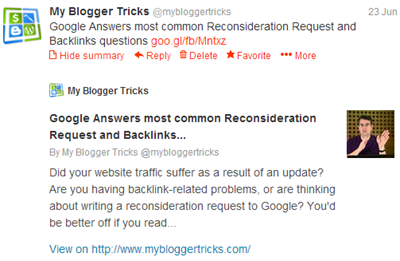
twitter cards for bloggerMost of you asked how do we add a "View/Hide Summary" link below our tweets. If you click the summary link it will expand and show the post description snippet, along with a thumbnail image, Page title and twitter account attribution. We achieved it by integrating "Twitter Summary Cards" with Blogger. Twitter card is not a new name because they were introduced last year and the reason we never talked about it was due to unavailability of custom XML tags in blogger code library. The image thumbnail tag provided by blogger is of small resolution i.e. 72 x 72 pixels and unfortunately Twitter still has problems fetching the thumbnail correctly. This made it difficult to implement twitter cards for blogger.

The thumbnail displays fine on Twitter testing page but fails to appear on twitter page. Somehow we at least succeeded in fixing the problem with embedded tweets as you will see in demo.  Due to low resolution thumbnail sizes we can not install meta tags for Large Image Summary Card in Blogger but we can surely add Summary Card that works fine with small resolution images. We termed today's tutorial "correct" because most of the  methods that we found so far were not well wrapped in with conditional statements and this made the Template Header full of a large clutter of META Tags which is not good for SEO of any site. The same mistake is seen for OpenGraph Tags which I will be covering in another tutorial. Lets first read a little theory before jumping at the tutorial.

To see the demo visit our twitter page: @MyBloggerTricks

Below is a live demo for an embedded tweet:

Difference between OpenGraph Tags and Twitter Cards?

We honestly find it completely meaningless when twitter introduced beta version of these new tags in 2012 because we already had Facebook OpenGraph Tags that are widely used even today and works just fine in fetching the right Thumbnail, Description and title. OpenGraph tags are used even by GooglePlus to fetch required data and twitter also used it. Now twitter has started a whole new crap that I hope may not encourage every new social media network to come up with their own custom meta tags. I just hope Google does not follow this trend. Else we will be forced to add bulk of meta tags for each giant online. Twitter cards are surely a bit different and creative but fundamentally speaking they serve the exact same purpose as OpenGraph tags do which were introduced by Facebook.

Following is the list of six twitter cards being introduced by twitter in order to display user content in a more friendly way on Twitter accounts.

  1. Summary Card: Default card, including a title, description, thumbnail, and Twitter account attribution.
  2. Large Image Summary Card: Similar to a Summary Card, but Features bigger size images.
  3. Photo Card: A Tweet sized photo card.
  4. Gallery Card: Displays a collection of photos.
  5. App Card: Displays application profile.
  6. Player Card: A Tweet sized video/audio/media player card. You can now watch YouTube videos live on twitter! Probably the best card for podcast blogs. Instead of summary link you will see View/Hide Media link here.
  7. Product Card: It represents product content in a more better way.

Why this Method is Correct?

We are utilizing dynamic conditional statements available in blogger that checks for a selected data and displays the content only when the required condition is met. The code shared below will check for a Homepage logo and also Post thumbnail based on right condition. The thumbnail data variable does not work for index page but works only for item pages. As a result if you specify the following data type for thumbnail:

data:blog.postImageThumbnailUrl

then Twitter will not display a summary card for homepage but it will for item/post pages. In order to fix this problem, we have set careful conditions, which work just fine and also produces a compressed code.

Further instead of manually adding Title and description for homepage, we have used variables that automatically does the work.

Install Twitter Cards on blogger

STEP#1

Follow these easy steps.

  1. Go To Blogger > Template
  2. Backup your template
  3. click Edit HTML
  4. Paste the following Meta tags anywhere below <head>


<!-- Twitter Cards For Blogger by MBT -->

<meta content='summary' name='twitter:card'/>
<meta content='@mybloggertricks' name='twitter:site'/>
<meta content='@mybloggertricks' name='twitter:creator'/>

<b:if cond='data:blog.pageType == &quot;index&quot;'>
<meta expr:content='data:blog.url' name='twitter:url'/>
<meta expr:content='data:blog.pageTitle' name='twitter:title'/>
<b:else/>
<meta expr:content='data:blog.homepageUrl' name='twitter:url'/>
<meta expr:content='data:blog.pageName' name='twitter:title'/>
</b:if>

<b:if cond='data:blog.metaDescription != &quot;&quot;'>
<meta expr:content='data:blog.metaDescription' name='twitter:description'/>
</b:if>

<b:if cond='data:blog.postImageThumbnailUrl'>
<meta expr:content='data:blog.postImageThumbnailUrl' name='twitter:image'/>
<b:else/>
<meta content='YOUR-BLOG-LOGO' name='twitter:image'/>
</b:if>
<meta expr:content='data:blog.homepageUrl' name='twitter:domain'/>

Make these changes:

  • Replace mybloggertricks with your twitter username for blog profile
  • You can replace mybloggertricks with either your personal twitter profile or your blog profile. I chose blog profile. For Multi author blogs like in wordpress you can choose to show author twitter profile for each twitter card.
  • Replace YOUR-BLOG-LOGO with your Logo Link

    5. Save your template and you are half done!

STEP#2

The final step is to verify your twitter card settings. It is really easy, just follow these steps:

  1. Open Google Chrome or Safari (Twitter cards work on webkit browsers only not Firefox)
  2. Go to Twitter Card Validator
  3. Double Click Summary on the popup window
  4. Click the Validate and Apply  tab
  5. To see you have added the code correctly just enter your homepage link inside the box and hit go.

twitter card validation

    6.  Do the same for a post Page. Select any post (which contains at least one image and search description) from your blog and test it to see it also gives the right post title, thumbnail and description. If you get a red error for twitter:description , then probably you have not added Post description. Just don't worry about it because I will tell you in next step on how to fix that.

    7. You will see a red link that says that your site is not approved, simply click it and fill up the form to submit your request for Twitter card approval.

Twitter would say that they would send you an email but they really don't do that. At least I have not received any email for our three blogs. They get approved automatically within 48 hours. Once you see summary link below all posts know that you are all set up!

Requirements:

There are two requirements for twitter cards to work properly in Blogger:

1. Always add Search Description for Posts

If you don't know how to do it or if you don't have the "search option" inside blogger post editor then you can simply optimize your blog and add the required code by following this tutorial.

2. One Image inside posts

In order for twitter to display the thumbnail, you must make sure to add at least one image inside your posts. This image can be uploaded anywhere you want. There is no requirement that it must be uploaded through blogger editor only or on picasa web albums. All that is required is an image inside a post and nothing else.

Need help?

This tutorial is made as easy and informative as possible. If you still faced any problems, then don't troubleshoot yourself and let us know for any help needed.

Free Tip: Wordpress users can install JM Twitter Cards  for any framework, be that genesis or thesis.

Peace and blessings dear buddies :)