There has been a lot of talk regarding FeedBurner recently. FeedBurner is a widely known email and RSS subscription service used by a lot of bloggers, chiefly because it's a free service. A couple or so months ago, many bloggers raised concerns when FeedBurner showed a subscriber count of zero for their blog. Since then, rumor has it that Google is shutting down the FeedBurner service in 2013 (probably for good, but we can't say anything yet). So is it true? And what would become of its users if it is? Indeed, the shutting-down of such a widely used service could prove to be a mistake on Google's part.
Well from the looks of it, this rumor is only half true. The 'half-true' part is the keyword here though. Google is not completely shutting down the whole service. It has only shut down FeedBurner APIs. We'll talk more about them later in this post
Why Google Shuts down products?
To see if Google can really shut down FeedBurner, we first need to look at why Google shuts down products in the first place. A couple of months back, Matt Cutts uploaded a video, in which he discloses why Google will shut down some products. Long story short, there can be various reasons. The most obvious one is resource limitation. As big as Google appears to be, it still does not have unlimited resources. And if a project is consuming too much resource without replenishing them, then it has to be shut down.
Google will also shut down products that are outdated. For example, Orkut got outdated quite a while ago, so it had to be shut down to make room for the likes of Buzz and Google+.
So the next question is, is FeedBurner worthless to Google?
How Google sees FeedBurner?
Okay, first thing's first. FeedBurner is used by a lot of bloggers out there, chiefly because it's free. Given Google's excellent profile, it seems pretty unreasonable that they'd shut the service down. Now I am not claiming I know how they think, but one thing is for sure. If Google was to shut down FeedBurner without at least a fair warning (and we've seen none of those), then it'd leave a lot of bloggers pretty pissed off. Not that Google cares on whit about how they feel, but it sure would be a bad business decision, as there's a lot of competition out there, waiting for Google to make a slip so they could benefit from it.
Secondly, most of Google's services are free (like FeedBurner), such as Google AdSense, Blogger, Webmaster Tools, Google+, and so on. If they were to shut down one free product, it would cast a shadow of doubt over other free products as well, and the reliability of these products in the future would be jeopardized. After all, if one service can shut down, who can say the others won't follow suit?
So what is the problem?
Google has apparently ran into problems regarding the FeedBurner API. The first signs were when the feed count was reset to zero, even though no one lost a single subscriber. So only the counter had problems. Although this glitch was resolved, other back-end problems still remained. As a result, Google eventually decided that it didn't want developers using their its API after all. (Note: An API lets a developer interact with a program. He can use an API to get user data, call functions, and do other such stuff).
Hence, although FeedBurner is still working, its API has been disabled by Google. You can see this from the fact that your subscriber count on BuySellAds is not being updated if you're using FeedBurner. This is because the API is no longer to BSA for fetching user data.
So what's next?
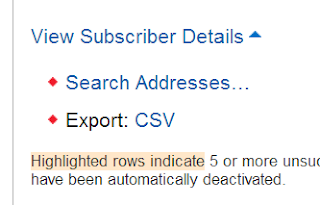
Nothing much :P. You should be able to use FeedBurner (apparently) for now without any problems. But it would be a good idea to back-up your subscriber list from FeedBurner (we did a post on that recently).
You might also look into alternative solutions, such as AWeber, FeedBlitz, and so on. We will do posts on them soon, so stay tuned. And keep reading and sharing :)